Product Updates 2021-11-02
LenelS2 is pleased to announce the release of the following features and improvements for Elements.
Dashboard UI: Users may customize their dashboard to quickly access readers and actions that are frequently used
Configurations are specific to the user
Execute reader commands with one click
Execute controller rules
Introducing cloud rules — create rules like:
Lock down an entire site
Lock down individual spaces
Events feed
Two new cards - People Groups and Controller Rules
Guest passes: Configure guest passes and share a link to allow guests access for a specific time. Guests can then use the link to unlock a reader without being issued a badge or mobile credential.
Allow temporary access to guests
Define the time constraints
Revoke the access at any time
At a glance, see who has been issued a guest pass
Elevator support: Users can present their credentials to access up to 16 floors per cab. Readers configured as dedicated elevator devices control which floors elevators go to and the floors people may access.
Guided workflow to configure elevators
Floor control via people groups
New interface type: LNL-1200-Elevator
Multiple playback speeds for video: Play video at faster or slower speeds
Reader modes: Override the reader mode and configure the behavior of the reader for resuming its normal operating mode based on a manual change or specific duration. This feature enhances the functionality for changing current reader modes.
Video data usage: New license options are available for customer video data usage. Usage limits can be upgraded and will automatically be invoiced after activation.
Product Updates 2021-08-05
LenelS2 is pleased to announce the release of the following features and improvements for Elements.
Video enhancements:
View video using a lower quality sub-stream if there are concerns about limited bandwidth
View and advance recorded video frame by frame
Export video clips with an improved UI
Associate inputs and outputs with spaces:
Assign input and output devices to spaces
Watch video for input and output activity from the Events list
Space details reorganized into new and existing sections:
Surveillance (Add Cameras), Monitoring (Add Readers, Inputs, and Outputs) and Access Control (Add People)
Spaces list updated:
Columns added for assigned input and output counts
Select icon for assigned cameras, readers, inputs, outputs, groups, or people to view or configure them
The automatic space assignment indicator was removed but this option is still available when configuring spaces
Duress PIN supported: Configure readers in "Card and PIN" mode to grant or deny access on duress when using a duress PIN. Existing readers will be configured to grant access on duress.
People groups enhancements:
Bulk assignment - Immediately assign all people in the system to a group or unassign all people from a group.
Configure automatic assignment of new people to a group.
Email notifications: New license options are available for customer email notifications. This is a billable feature and will automatically be invoiced after activation.
First Card Unlock supported:
When First Card Unlock is enabled, the door will not unlock until the first authorized credential is presented.
First Card Unlock is available for readers configured to follow a schedule with a reader mode that accepts credentials (Card only, Card and PIN, and Card or PIN).
Authorization can be enabled for all members of a people group.
Product Updates 2021-06-10
LenelS2 is pleased to announce the release of the following features and improvements for Elements.
Email notifications:
Email recipients now have the ability to unsubscribe from notifications from the Elements system
Filter on multiple criteria, such as event type, severity, people, spaces, devices, or schedule for the conditions to send email notifications
Controller rule enhancements:
Configure local automation for a controller and its downstream devices (reader interfaces, input interfaces, and output interfaces)
Automated control of readers, inputs, and outputs can be triggered by controller and downstream activity
A number of additional events are now supported in conditions
Filter events within a schedule - the event must generate during the schedule for the actions to execute
Actions can be reordered to achieve the desired sequence of execution
Configure delay intervals if extra time is needed before an action should execute
Conditions and actions can be modified
Card or PIN support added for readers:
Configure readers for "Card or PIN" mode at low security doors
Issuance of PINs is limited to people with badge or mobile credentials
Less secure reader modes are flagged with a low security indicator ↓ to help operators identify these modes at a glance
Track Access Granted and Denied with PIN events
System Options:
Configure the time zone of the system
PIN Options now located on System Options page
Product Updates 2021-04-23
LenelS2 is pleased to announce the release of the following features and improvements for the Elements system.
New Features
Control of Elements customer portal access: An administrator in the Elements customer portal now has the ability to prohibit integrators from accessing their system under System Options
Translated documentation: Fully translated Elements documentation is now available in Spanish and French, with the option to view it in the original English language
General Improvements
Configuration of an API key for supported integrations has been relocated to the new System Options menu located under Configurations
Product Updates 2021-03-31
LenelS2 is pleased to announce the release of the following features and improvements for the Elements system.
Introducing Elements Video
What is it?
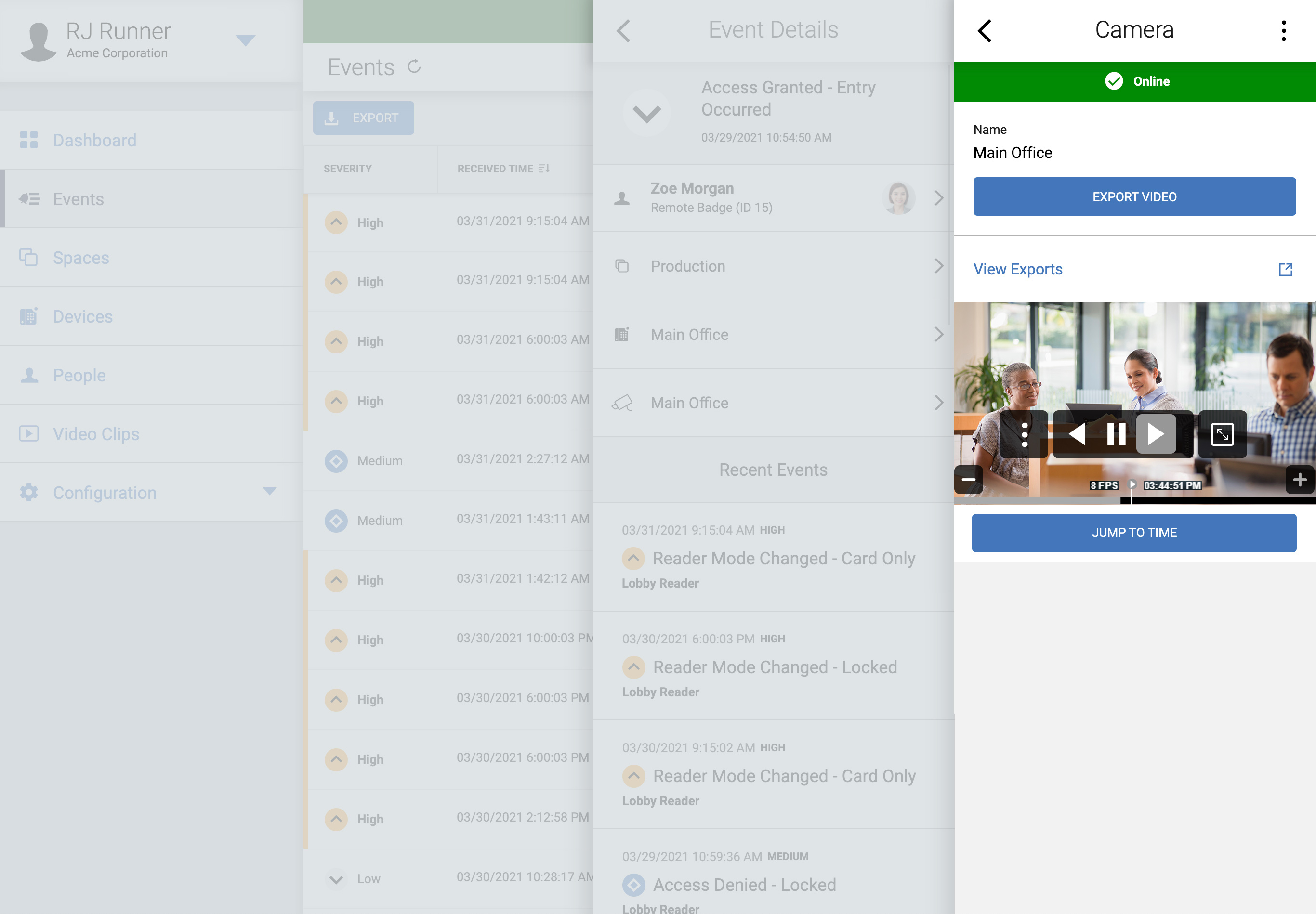
Elements Video unifies access and video through a single user interface in a hybrid video solution using an on-premises video recorder for local storage and the Elements web portal to manage all configuration and retrieval.
Benefits and Features
View live and/or recorded video from anywhere
Add up to 16 cameras per recorder and as many recorders per customer site as required
8 TB of on-premises video storage through the Elements Video Recorder
Associate video with events and view live/recorded video from the Events menu
No plug-ins required to view live video
Easy one-click video snapshots
ONVIF compliant
Video clips are exported in an MPEG-4 format
Video clips are stored temporarily (15 days) in the cloud for download
Both peer-to-peer and cloud streaming options available
Scheduled People Access
What is it?
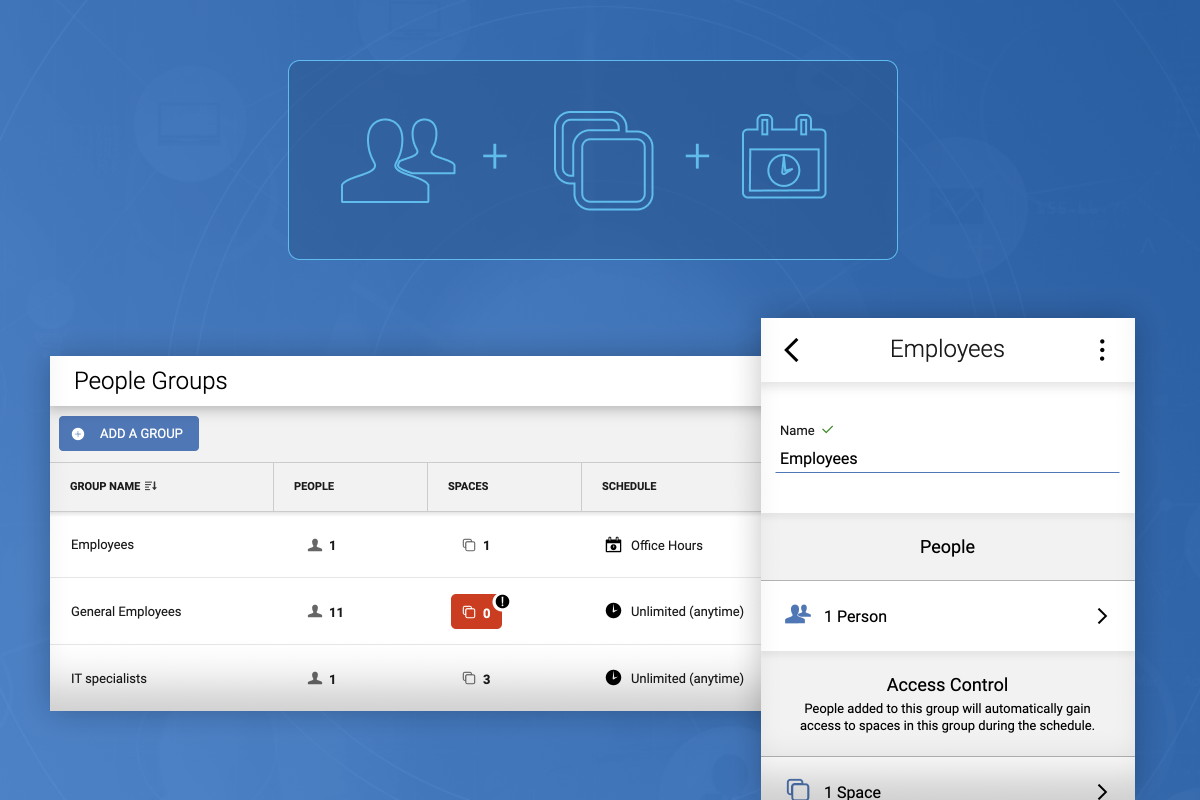
People groups is a much easier way of assigning and managing access to your readers. Group people together and easily assign access to one or more spaces, and optionally limit that access based upon a schedule.
Benefits and Features
Different groups of people can now access the same readers on different schedules
Update access once for a group, and all associated people immediately receive those access changes
Onboarding new people into Elements is simplified; assign them to people groups instead of hunting down individual spaces
Access controlled by people groups is always additive, making it easy to understand who has access where
You can still individually assign one-off spaces for the occasional exception to the rule
Email Notifications
What is it?
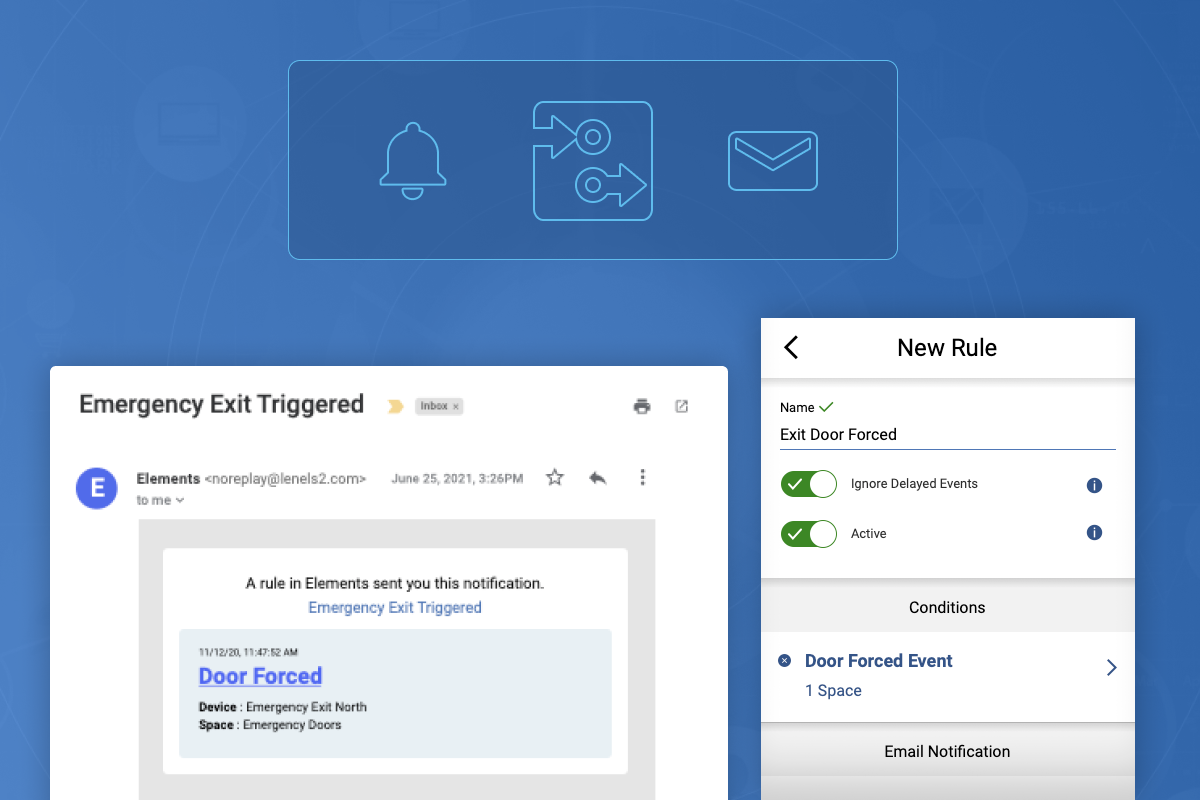
Configure event alerts to be automatically emailed to you as they happen.
Benefits and Features
Set up and get email notifications on what's important to you
Filter on a variety of attributes such as
Event type
Activity from a specific person
Activity coming from a specific space or device
This feature will be an add-on service that carries a monthly fee
Contact your reseller or sales representative to activate and learn about pricing
Controller Rules
What is it?
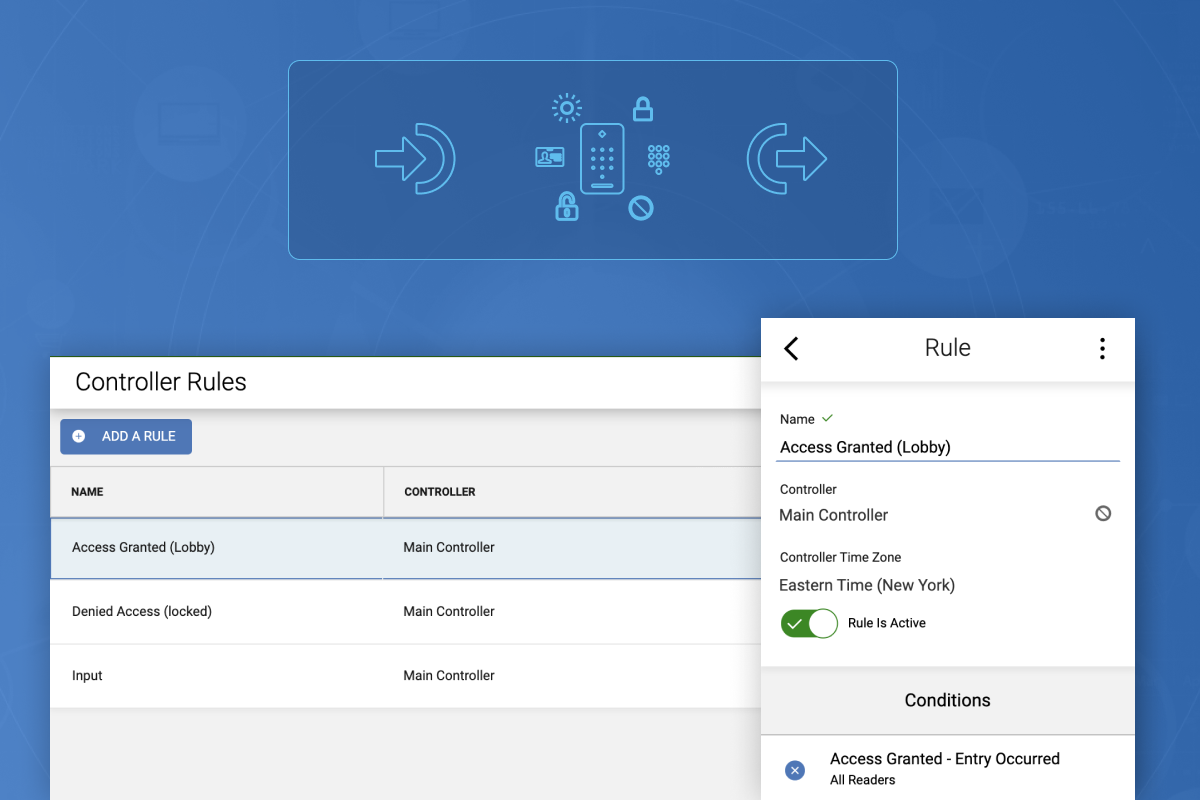
Controller rules allow you to configure automation locally on a single controller. Based on reader, input, or output activity, automate control of any reader, input, or output on that same controller.
Benefits and Features
Target any reader or I/O event, and confine the event to a specific device
Automatically execute the following actions when that specific event happens
Reader: Override a reader mode or temporarily unlock a reader
Input: Mask or unmask an input
Output: Activate, deactivate, or pulse an output
Actions from your controller rules can be manually executed at any time, giving your users the ability to lock down doors or sound alarms
Because controller rules are executed locally, it is very fast and requires no cloud connectivity
Elements System Training Updates
New Elements course created: Elements Video
Available through the Partner Center and the eLearning tool
Updated Elements course: Introduction to Elements
New content has been added and a certification exam is now available
Elements certification will be required for technicians who wish to contact tech support going forward
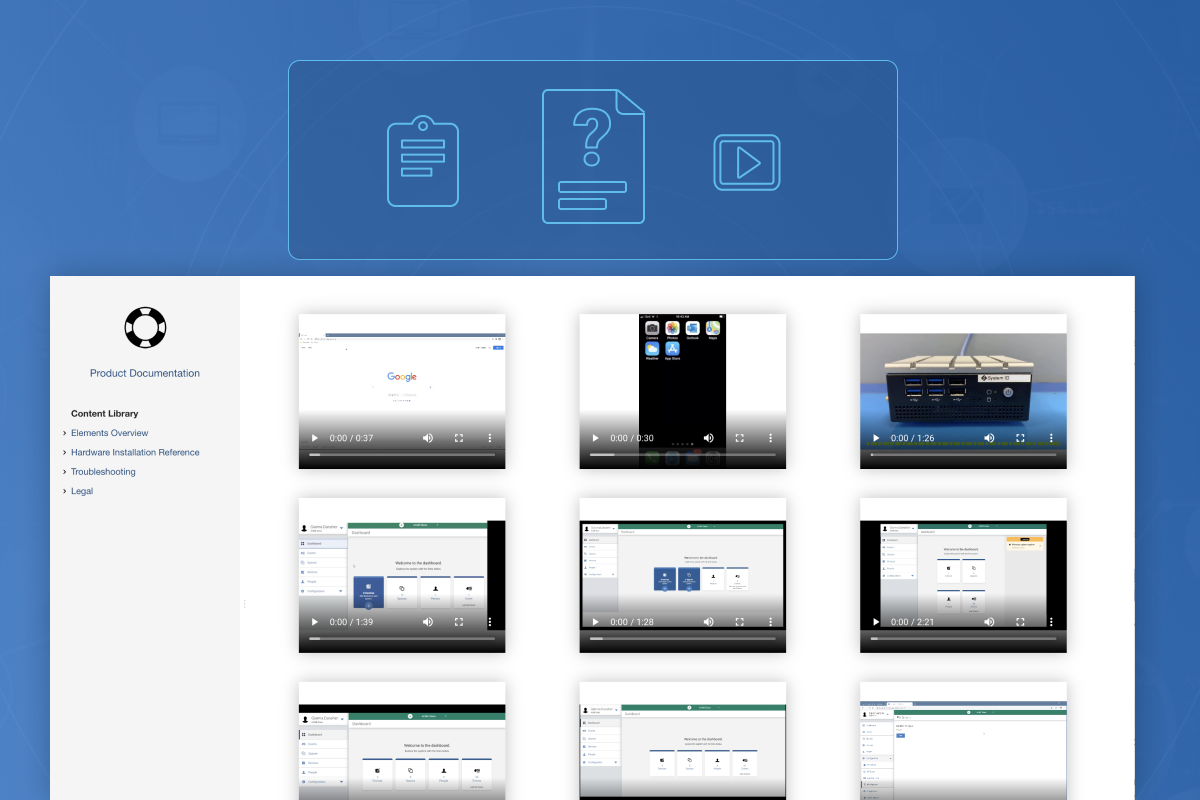
Additional 'How To' videos now available
Accessible through the Content Library found within the Help and Support section of the Elements web portal
General
We have made many user experience updates regarding usability, accessibility, and responsiveness.
We have closed a number of minor defects regarding security, reliability, and UI
© 2026 Honeywell International Inc. All Rights Reserved.